In this final entry in our series, I want to be much more ambitious compared to our previous posts. Clearly, your users will continue to create, edit, move, and copy data. We cannot stop that; we cannot stop the business! Therefore, we either deploy a mechanism that can continue to discover and remediate data compliance issues or, sooner or later, we will have the same concern of potential data exfiltration that I outlined in the first entry in this series and of Microsoft 365 Copilot accessing information per user rights that I described in the second.
So far, we have identified and then -temporarily- removed several potential risks of overexposed data:
Sensitive data in the wrong location
People with access to sensitive data where they should not
Excessive access set to repositories where sensitive data is located
Anonymous sharing and sharing with externals
But how we can keep up?
We can provide you with a couple of scenarios to help maintain the compliance you achieved during the remediation phase. To be very honest, I will start with the one I consider more effective, as you can simply add it on top of the existing performed effort. The second option can work too, but is more focused on incrementally remediating and mitigating risk in prioritized business areas:
Scenarios summary
Recognizing that organizations’ data governance agenda may have different stages, approaches, budget, and priorities, we offer two options to discover and optimize your environment on a continuous basis:
Area
OPTION I – Governance platform deployment Highly recommended
OPTION II – Quarterly updates/platform improvements
Objective
Keep your platform protected across all M365 data repositories
Continue improving data at rest security posture
Scope
End-to-end solution platform performing near real-time scan on users and data
Quarterly scan and remediation (if applicable)
Requirements
Microsoft subscriptions
E-Suite subscriptions
Microsoft subscriptions only
Pro
Data protection, end user training, automation, self-service, workflow-based incident management
Unlimited scans
Continuous data delta scan
Quick scan and results via analytics
Incremental improvements
Cons
E-Suite – per user/data subscription based (2-3 years)
E-Suite offering – 4 scans commitment (1 year)
Objective
Take action on new and edited files, regardless of M365 location, so you do not depend on a scheduled effort
Solution details
Scanning
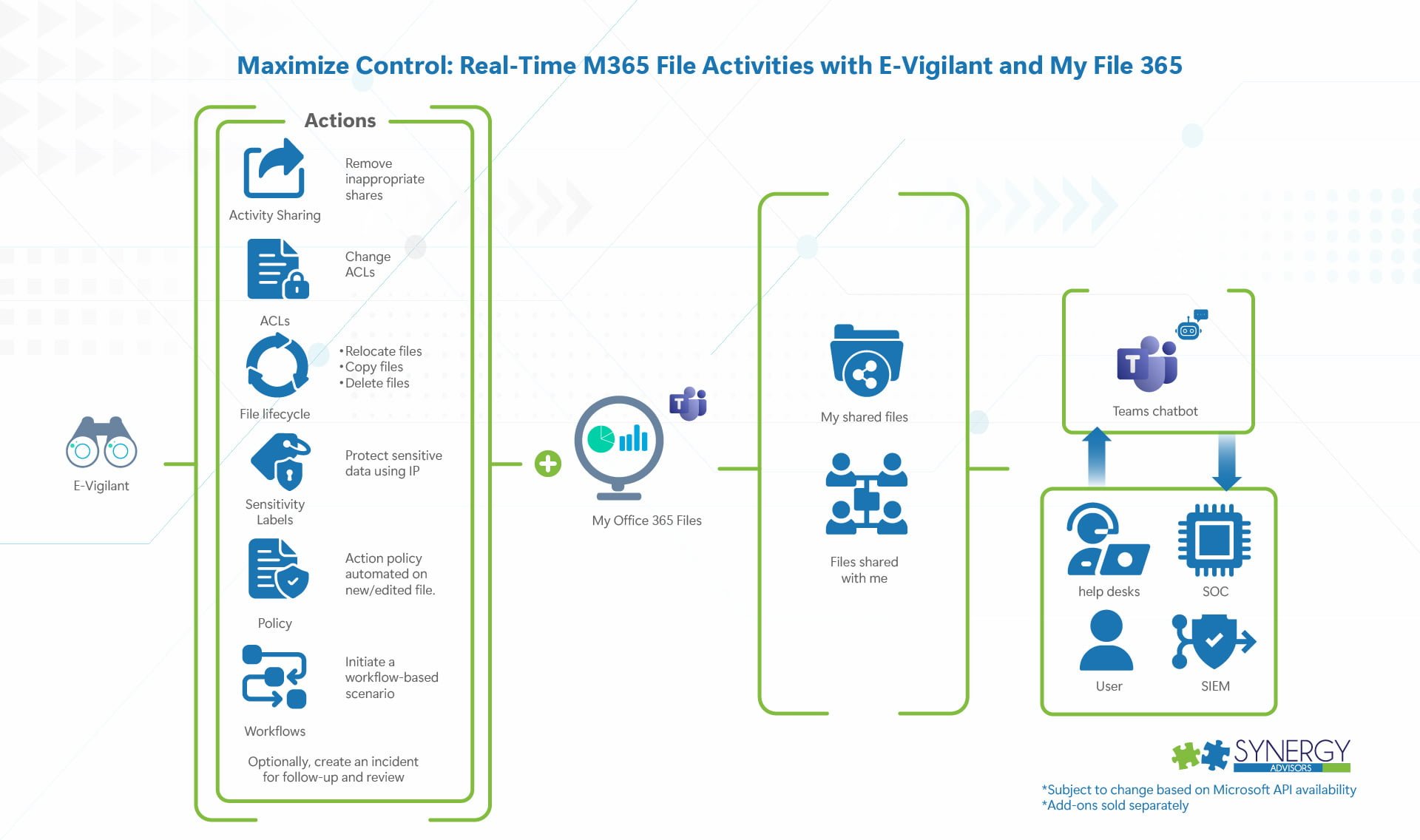
Monitors changes across all M365 workloads and enforces actions
Newly created files
Newly uploaded files
Edits and modifications to existing files
Share activities
General Notification and Actions
Perform scan and take action
Identify sensitive data (based on sensitive information types)
Protect using Purview IP (Requires M365 E5 IP&G minimum for all users in which the solution will provide such actions)
Move, delete, change ACLs
Remove inappropriate shares
End-User and Admin Notifications
IT
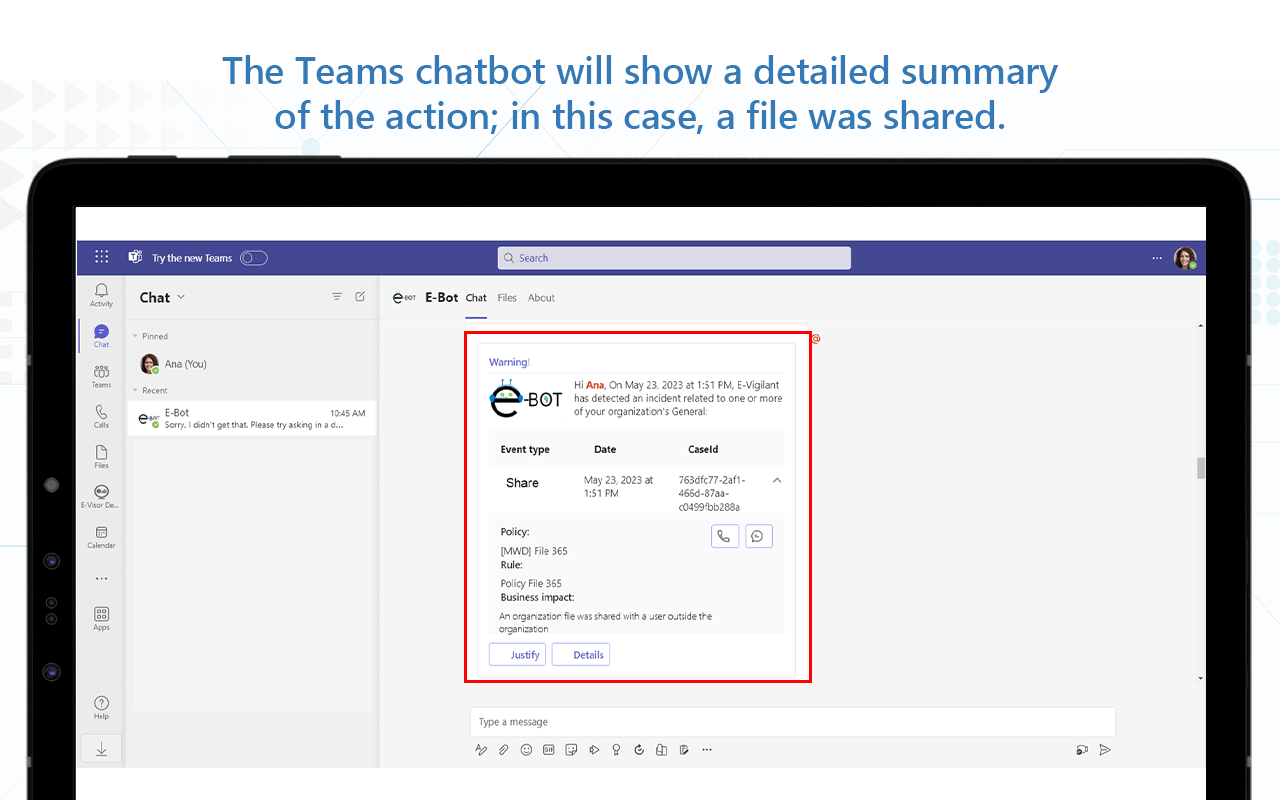
Send a notification via chatbot or e-mail if an action-based policy has performed an automated action in a new or edited file and, optionally, kick off a workflow-based scenario
Optionally, create an incident for follow-up and review
User, Manager, Stakeholder (data owner, site owner, etc.) Scenarios
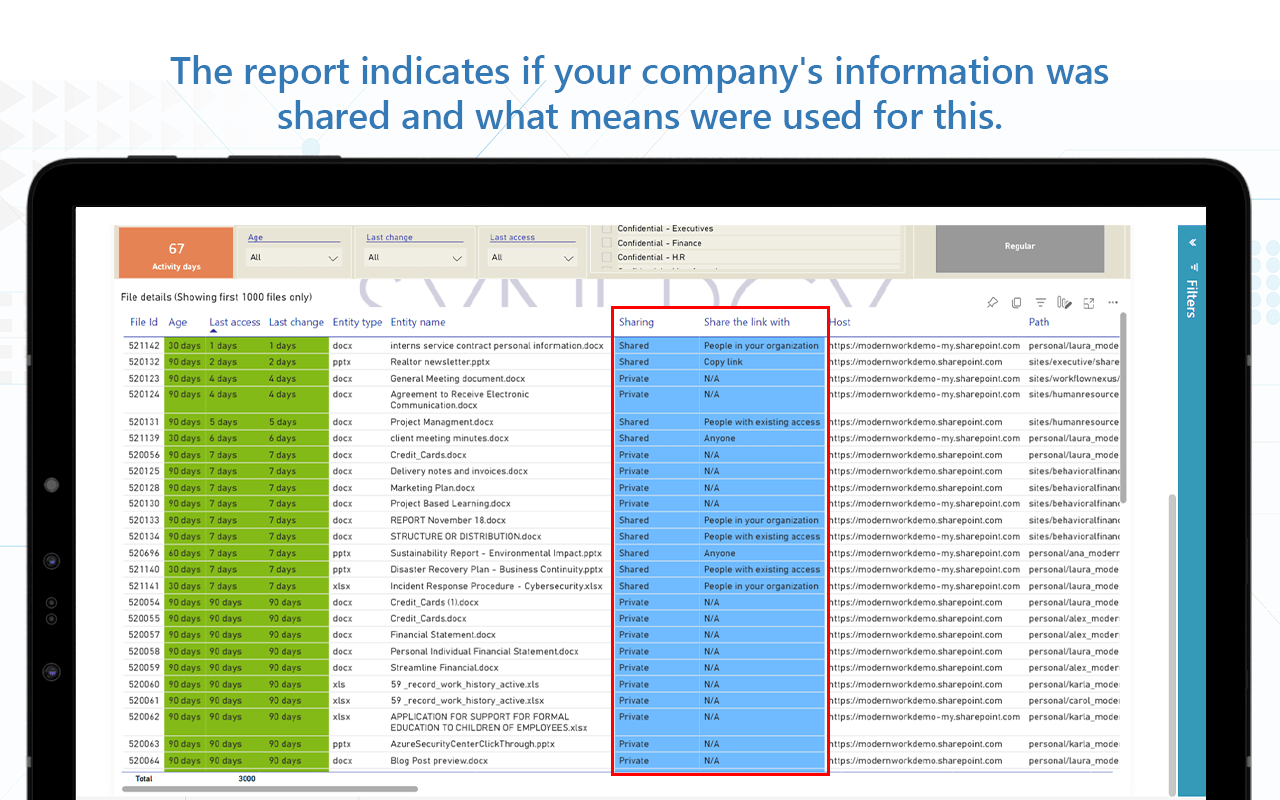
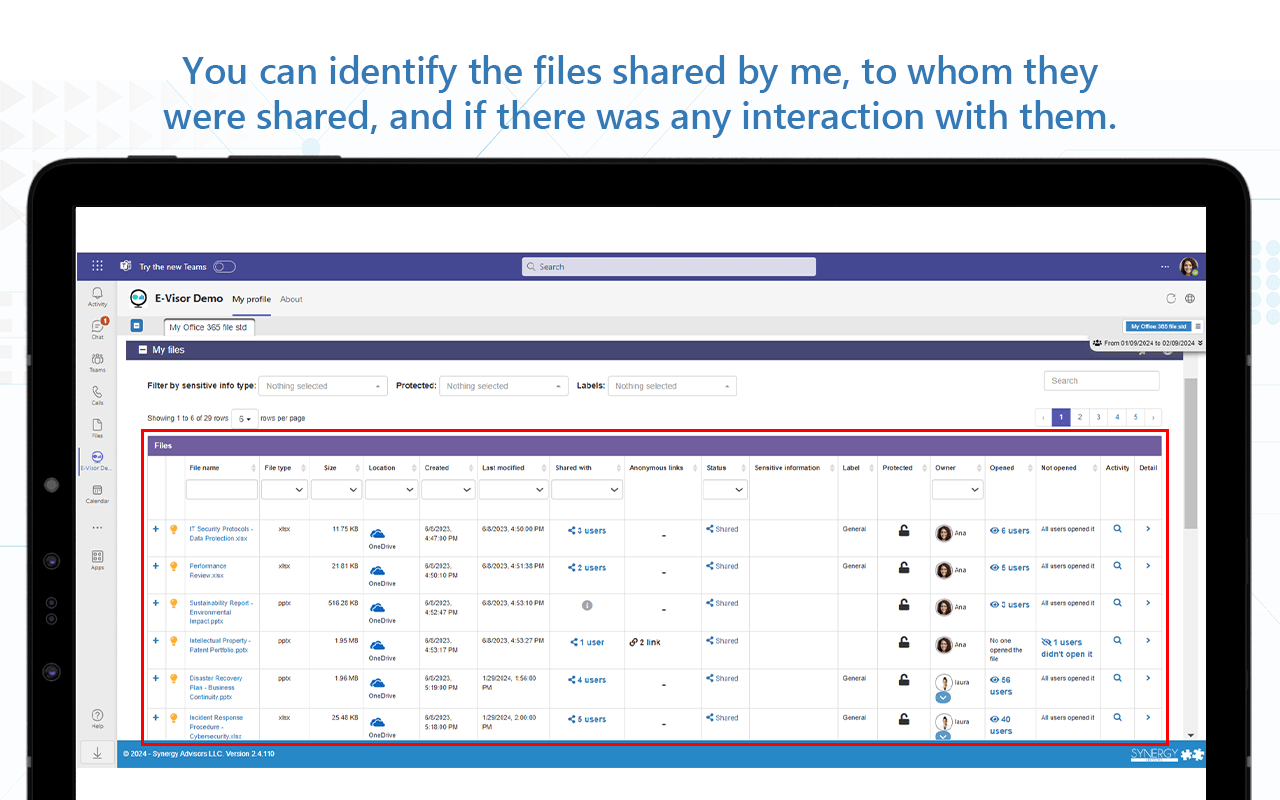
Provide user possibility to see their shared file activities and access the files shared with them
Receive chatbot notifications of an action performed by the tool
Requirements
Microsoft O365 E3
Microsoft M365 E5 IP&G for content inspection and content protection for all users where automation/content will be inspected and potentially protected through autolabelling on behalf of the user
Microsoft Azure Subscription
All E-Suite solution components are installed in your Azure environment
Others
E-Suite licenses listed in next section
E-Suite Subscriptions Requirements
E-Suite for M365 Compliance + E-Quick Scan add-on
E-Visor
E-Visor Teams App
E-Inspector
E-Vigilant
Add-ons
Enterprise analytics
End user and business analytics, self-service
Data at rest inspection for M365
M365 content workflow approvals for actions for key activities
New! E-Quick assessment add-on
You can see all actions performed and current data state
End users, managers, support, and auditors can see and take actions along all docs shared using “My Office 365 files”
User education via chatbot and awareness on sensitive data use.
Apply policy to documents and repositories
Act on files with compliance risks, such as change ACLs, protect the file, and more; potentially integrate with your ticketing system for incident tracking/resolution
This component extends E-Inspector monitoring performing the repository/file changes only and integrates with an E-Vigilant workflow in a way that can take automatic or workflow-based approval actions
Business model
Per user/per year subscription-based solution
Upfront 1 year subscription payment
Installed in your Azure subscription (Synergy Advisors does not have access to your data)
User/subscription varies per user/organization data volume
Pros
End-to-end governance
Organization will “stay clean”, up to date with changes
Automatic and workflow-based changes, notification, and incident management
Chatbot actions and end user education
Cons
Subscription-based solution
NOTE:
The service is extensible beyond Microsoft 365 to Azure repositories, on-premises (NAS, File servers), and AWS S3. All managed from a single data access dashboard.
Spoiler Alert!!!!
Early next week, we will make a big announcement about how to identify “Policy violations” on users and file locations according to your content type “clearance”. This will amplify the way to tackle the challenge of who should see what and where such content can be stored…. Stay tuned!!!!
Objective
Start implementing different actions in content; this incremental approach can help organizations along the following scenarios:
Remove overexposed share links
Remove overexposed permissions
Remove external access permissions
Relocate stale or duplicated data
Protect sensitive docs with Purview IP policy
…. You name it! Organizations may prioritize according to their business and internal teams priorities
Solution details
Quarterly activity
4 scans per year – 1 year commitment, with the following options available:
Discover
Discover and remediate
Limited size of content within the scope definition
Limited number of workloads within the scope definition
Scan and remediate
As this is a similar effort as introduced before, you can pick
A path to scan
The corresponding actions (if selected as part of the quarterly scope)
Outcome
Optimized environment
Refreshed analytics
Proof to be presented for potential audit/mgmt of the “before” and ”after” states on a quarterly basis
Requirements
Microsoft O365 E3
Microsoft M365 E5 IP&G for content inspection and content protection for all users where automation/content will be inspected and potentially protected through autolabelling on behalf of the user
Microsoft Azure subscription
All solution components are installed in your Azure environment
Others
E-Suite licenses included
E-Suite Offering Conditions
Payment terms
Upfront payment for the 1st scan
Incremental scans invoiced on the 1st day of the quarter
Net 30 payment terms
Execution should be coordinated with Synergy Advisors with at least 15 days advance notice
You must keep the initial setup (off, if preferred) to optimize future assessment efforts
Pros
Optimization
Data protection expansion across different locations, users in M365